

Microsoft Office 2019 Standard | Full version | 1 PC | Instant download

Microsoft Office 2019 Standard
You save
All prices include statutory VAT. You receive an invoice showing VAT separately.
Illustration only. What you receive is a licence: activation code and download link by e-mail, no physical media. Microsoft, Windows and Office are trademarks of Microsoft Corporation. OfficeLicense24 is an independent reseller with no business relationship to Microsoft.
Worth adding
- Key and download link by e-mail
- Invoice with VAT shown separately
- Perpetual licence – no subscription
- Installation guide included
Product description
Buy Microsoft Office 2019 Standard as a perpetual licence – full version with Word, Excel, PowerPoint, Outlook and Publisher, licence key by email as an instant download. Pay once, use it for good: no subscription, no recurring costs, no hidden fees. You receive a genuine licence key to activate on one PC, the official download and an installation guide – all by email, with no shipping costs.
At a glance
| Product | Microsoft Office 2019 Standard |
| Licence type | Perpetual licence (one-off purchase) – single payment, no subscription |
| Devices | 1 PC |
| Platform | Windows (32/64-bit) |
| Language | English and all other languages (multilanguage) |
| Delivery | Instant download – licence key & guide by email |
| Invoice | Invoice showing VAT – suitable for businesses |
Included applications
 Word
Word Excel
Excel PowerPoint
 OutlookPPublisher
Why choose Microsoft Office 2019 Standard?
Office 2019 Standard covers Word, Excel, PowerPoint, Outlook and Publisher as a classic purchased licence. This proven generation runs reliably under Windows 10 and 11, uses the familiar ribbon interface and is the economical choice for existing machines, clubs and associations, and workstations with a fixed set of tasks.
Worth knowing: official Microsoft support for this Office generation ended on 14 October 2025. The software keeps working without restriction but no longer receives security updates – in return it is by far the cheapest way to own a complete Microsoft Office permanently. Ideal for second machines, offline PCs and anyone who wants to keep a familiar interface.
How you receive your licence
- Order: complete your order – the confirmation arrives by email straight away.
- Receive the licence: once payment clears we send the licence key, download link and a step-by-step installation guide by email – no shipping, no waiting for a parcel.
- Install & activate: download the software, enter the licence key, done. Activation runs directly through Microsoft’s built-in activation.
System requirements
- Windows 11 or Windows 10, or Windows Server 2019
- 1.6 GHz processor, 4 GB RAM (64-bit) / 2 GB (32-bit), 4 GB free disk space
- Screen resolution of 1280 × 768
Frequently asked questions
Is this a subscription with recurring costs?
No. You pay once and receive a perpetual licence with no expiry date – no subscription, no monthly fees and no pressure to move to Microsoft 365.
How quickly will I get my licence key?
As soon as your payment goes through we email you the licence key, the download link and step-by-step instructions – usually within a few minutes. If nothing shows up, please check your spam folder.
Do I get an invoice showing VAT?
Yes. Every order automatically comes with a proper invoice showing VAT – ready for use by businesses and the self-employed.
Microsoft, Office, Windows, Windows Server and the associated program names and logos are registered trademarks of Microsoft Corporation. They are named here solely to describe the product. OfficeLicense24 is a shop of Arceus-Tech, Microsoft Solutions Partner and CSP Indirect Reseller.
Will this run on your computer?
The browser reads part of it by itself, we ask you the rest. Then you know whether it is worth buying.
This check runs on the computer where the licence will be installed. Open this page there – it takes two seconds. The system requirements are below.
What the browser can read
- System
- –
- Memory
- –
- Processor cores
- –
- Architecture
- –
What the browser cannot see
A short answer is enough – roughly is fine.
Which system is on the computer?
How much memory does the computer have?
How much free space is left on drive C:?
This edition asks less of the computer and opens the same files.
 Microsoft Office 2016 Standard
€3,99
Take a look
Microsoft Office 2016 Standard
€3,99
Take a look
 Microsoft Office 2024 Standard for Mac
€16,99
Take a look
Microsoft Office 2024 Standard for Mac
€16,99
Take a look
Press the Windows key and R together, type this, press Enter. The window shows the Windows edition, the memory and the system type.
msinfo32
System requirements
- System
- Windows 10 / 11
- Memory
- 4 GB
- Disk space
- 4 GB free
- Processor
- 1 GHz · 64-bit
The check is an estimate, not a promise: for privacy reasons the browser is not allowed to see everything. If in doubt, ask us before buying.
What goes well with it
Three suggestions – and the reason for each.
 More included
Microsoft Office 2019 Professional Plus
Same generation, with Access and Publisher on top.
€8,99
More included
Microsoft Office 2019 Professional Plus
Same generation, with Access and Publisher on top.
€8,99
 Cheaper
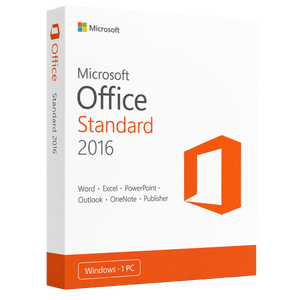
Microsoft Office 2016 Standard
One generation older. You hardly notice day to day; you notice the price.
€3,99
Cheaper
Microsoft Office 2016 Standard
One generation older. You hardly notice day to day; you notice the price.
€3,99
 Goes with it
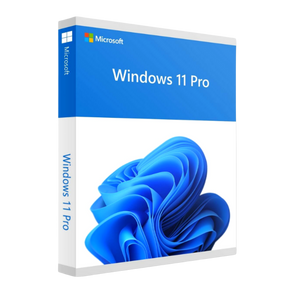
Microsoft Windows 11 Pro
Ordered together, 10% comes off – no discount code needed.
€15,99
Goes with it
Microsoft Windows 11 Pro
Ordered together, 10% comes off – no discount code needed.
€15,99